
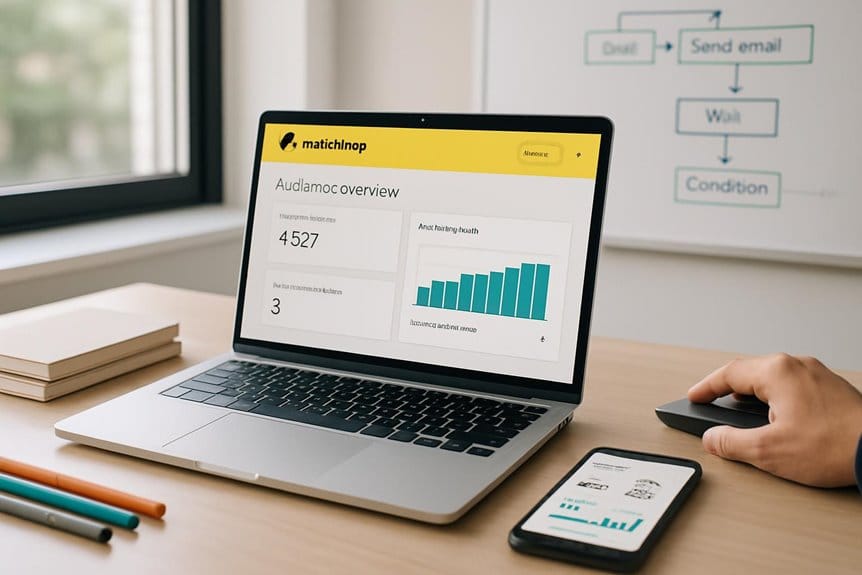
Implementing email automation best practices in Mailchimp involves mastering basics like setting clear triggers and crafting personalized content through audience segmentation. Effective welcome series with timely spacing, dynamic subject lines, and tailored calls to action boost engagement. Monitoring key metrics such as open and click rates guides continuous optimization. Integrating Mailchimp with CRM and analytics tools enhances targeting and reporting. Maintaining list hygiene guarantees better deliverability. Further insights reveal how to fine-tune timing and behavioral triggers for maximum impact.
Key Takeaways
- Set up clear, visually appealing automated workflows using Mailchimp’s templates and customizable triggers for timely, personalized email delivery.
- Segment your audience precisely using Mailchimp’s filters to tailor messages based on behaviors, preferences, and demographics.
- Use dynamic content and personalized subject lines to increase engagement and align emails with individual subscriber interests.
- Continuously monitor open rates, click-through rates, and conversion metrics to refine messaging, timing, and workflow triggers.
- Integrate Mailchimp with CRM and analytics tools for synchronized data management, enhanced targeting, and unified performance insights.
Understanding the Basics of Mailchimp Automation
Although email automation can appear complex at first, understanding its foundational elements within Mailchimp is essential for effective campaign management.
Mailchimp’s automation features enable users to create personalized email workflows triggered by specific actions or dates. The platform’s user interface is designed with simplicity, allowing marketers to set up automated sequences without extensive technical knowledge.
Create personalized email workflows easily with Mailchimp’s simple, user-friendly automation interface.
Key components include predefined templates, customizable triggers, and scheduling options that streamline campaign execution. Users can monitor performance through built-in analytics, facilitating data-driven adjustments.
Mastery of these basics guarantees campaigns run efficiently and reach the right audience at ideal times. By leveraging Mailchimp’s automation features and intuitive user interface, businesses can enhance engagement and improve overall email marketing outcomes.
Segmenting Your Audience for Targeted Campaigns
When marketers segment their audience in Mailchimp, they create more relevant and personalized email campaigns that resonate with recipients. Segmenting involves dividing the email list based on specific criteria such as demographics, purchase history, or engagement levels. This approach permits the development of distinct audience personas that reflect unique customer needs and behaviors. By leveraging these personas, marketers can craft targeted messaging tailored to each segment’s interests, increasing the likelihood of engagement and conversions. Mailchimp’s segmentation tools facilitate precise targeting by allowing filters and conditions to define groups accurately. Implementing this practice guarantees that automated campaigns deliver content that aligns with recipients’ preferences, improving overall campaign performance and fostering stronger customer relationships through personalization. Additionally, using brand voice integration ensures that the messaging is consistent and resonates well with the audience, further enhancing the effectiveness of personalized email campaigns.
Setting Up Effective Welcome Email Series
Building on the importance of audience segmentation, setting up an effective welcome email series helps establish immediate engagement with new subscribers.
The welcome email design should be clear and visually appealing, reflecting the brand’s identity while guiding recipients through the subscriber onboarding process. A well-crafted series introduces the brand’s value proposition, sets expectations for future communications, and encourages initial interactions such as exploring products or services.
Automating this sequence in Mailchimp guarantees timely delivery and consistent messaging. Additionally, spacing emails appropriately prevents overwhelming new subscribers and maintains interest.
Incorporating concise calls to action within each email supports subscriber onboarding by directing recipients toward meaningful next steps. Overall, a strategic welcome email series enhances subscriber retention and builds a foundation for long-term engagement.
Personalizing Automated Emails for Better Engagement
Effective personalization in automated emails greatly improves recipient engagement by delivering content that feels relevant and tailored.
Utilizing dynamic content in Mailchimp allows marketers to customize email elements based on individual user preferences, such as past purchases or browsing behavior. This approach guarantees each recipient receives messages that align closely with their interests, increasing the likelihood of interaction.
By segmenting audiences and leveraging data collected from user activity, automated emails can adapt content blocks dynamically, enhancing relevance without manual intervention. Incorporating personalized subject lines, product recommendations, and targeted offers further deepens connection with subscribers.
A strategic use of AI, similar to how ChatGPT enhances character development, can improve the personalization aspect of email campaigns by analyzing user data effectively and suggesting relevant content.
Timing Your Automation for Maximum Impact
How does the timing of automated emails influence their effectiveness? Sending emails at ideal send times greatly increases open and engagement rates.
Automated workflows in Mailchimp benefit from scheduling that aligns with the recipient’s daily routines and habits. Considering audience timezones is essential to guarantee emails arrive during active hours rather than inconvenient times, preventing messages from being overlooked or ignored.
Employing data-driven insights helps identify when recipients are most receptive, allowing campaigns to reach users at moments of high attention. By synchronizing automation triggers with these ideal send times across various timezones, marketers can maximize impact and response rates.
Proper timing enhances the relevance and visibility of emails, making automation efforts more efficient and effective without overwhelming recipients.
Testing and Optimizing Your Email Automation Workflows
Although well-timed automation sets the foundation for success, continuous testing and enhancement are essential to maintain and improve email performance.
Regularly conducting A/B testing allows marketers to compare different subject lines, content, and send times, identifying what resonates best with their audience. In Mailchimp, workflow adjustments based on data insights help refine the sequence and timing of automated emails for higher engagement.
Key strategies include:
- Analyzing open and click-through rates to spot trends
- Testing variations of email copy and design elements
- Monitoring user behavior and conversion metrics
- Adjusting triggers and delays within workflows for ideal timing
This iterative process guarantees that email automation remains effective and aligned with audience preferences, ultimately driving better results.
Using Behavioral Triggers to Enhance Automation
When email automation incorporates behavioral triggers, it tailors messaging to individual user actions, markedly increasing relevance and engagement.
Behavioral segmentation enables marketers to categorize recipients based on specific interactions, such as website visits, email opens, or purchase history. This segmentation allows for precise targeting, ensuring that each subscriber receives content aligned with their demonstrated interests.
Trigger actions serve as the foundation for these automated workflows, activating emails immediately after a defined behavior occurs. For example, a cart abandonment can initiate a reminder email, while a product view might prompt a personalized offer.
Utilizing behavioral triggers enhances the responsiveness of campaigns, improving open rates and conversions. In Mailchimp, setting up these triggers within automation workflows streamlines communication, making outreach more dynamic and effective by responding in real time to user behavior.
Maintaining List Hygiene to Improve Deliverability
Effective email deliverability relies heavily on maintaining a clean and updated subscriber list.
List cleaning plays a vital role in minimizing bounce rates and avoiding spam filters. Regularly removing inactive or invalid email addresses guarantees emails reach genuinely interested recipients, enhancing subscriber engagement.
A well-maintained list supports better sender reputation and campaign effectiveness.
Key practices for maintaining list hygiene include:
- Periodically removing unengaged subscribers to focus on active contacts
- Verifying email addresses to reduce hard bounces
- Segmenting lists based on engagement levels for targeted messaging
- Implementing double opt-in to confirm subscriber intent
Analyzing Performance Metrics to Refine Campaigns
Analyzing performance metrics provides critical insights into the success of email campaigns and highlights areas for improvement.
Through performance analysis, marketers can evaluate key indicators such as open rates, click-through rates, bounce rates, and conversion rates within Mailchimp. These metrics reveal how recipients interact with automated emails and identify strengths and weaknesses in messaging and timing.
By systematically reviewing this data, informed campaign adjustments can be made to optimize engagement and deliverability. For example, underperforming subject lines or send times can be modified based on recipient behavior patterns.
Systematic data review enables targeted adjustments to improve engagement and email deliverability through optimized subject lines and timing.
Continuous performance analysis guarantees that email automation evolves in alignment with audience preferences, ultimately enhancing campaign effectiveness and return on investment. This data-driven approach is essential for refining email strategies within Mailchimp’s automation platform.
Integrating Mailchimp Automation With Other Marketing Tools
Although Mailchimp offers robust automation features on its own, integrating its platform with other marketing tools greatly amplifies campaign reach and efficiency.
By integrating CRM systems, marketers can synchronize customer data for personalized targeting and improved segmentation. Social media integration allows for automated cross-channel campaigns, enhancing brand consistency and engagement.
Additionally, syncing with analytics tools provides deeper insights to optimize email strategies. Key benefits of integrating Mailchimp automation with other tools include:
- Streamlined customer data management through integrating CRM
- Automated social media posts triggered by email campaigns
- Enhanced tracking via connected analytics platforms
- Unified reporting for thorough marketing performance
Such integrations guarantee cohesive workflows, maximize resource use, and drive more effective, data-driven marketing outcomes.