
Crafting an email that gets opened, read, and clicked is a persistent challenge. While countless marketers send campaigns daily, a staggering number land in the trash, unopened, or fail to convert. The difference between a wildly successful campaign and a digital dud often comes down to strategy, design, and a clear understanding of what truly resonates with an audience. Generic advice falls short; what marketers need are concrete, proven examples to guide their efforts.
This article is designed to be your go-to resource for just that. We've curated a definitive list of the best platforms and galleries showcasing exceptional email marketing campaign examples. Forget guesswork. We dive deep into real-world campaigns, breaking down the specific tactics and strategic thinking behind their success. You won't just see pretty designs; you'll understand the psychology, copywriting, and calls-to-action that drive results.
Each entry provides a direct link to the resource, along with screenshots and an analysis of its strengths, helping you find the precise inspiration you need. Whether you're planning a welcome series, a promotional blast, or a re-engagement campaign, these resources will provide actionable blueprints you can adapt and apply to make your own emails succeed. Let's explore the campaigns that set the standard.
1. HubSpot Blog
For marketers seeking a masterclass in modern digital strategy, the HubSpot Blog is an essential, free-to-access educational powerhouse. It stands out not just as a blog but as a comprehensive resource library, offering some of the most detailed and actionable email marketing campaign examples available online. Unlike platforms that provide only surface-level summaries, HubSpot dives deep into the strategic thinking behind successful campaigns from various industries.
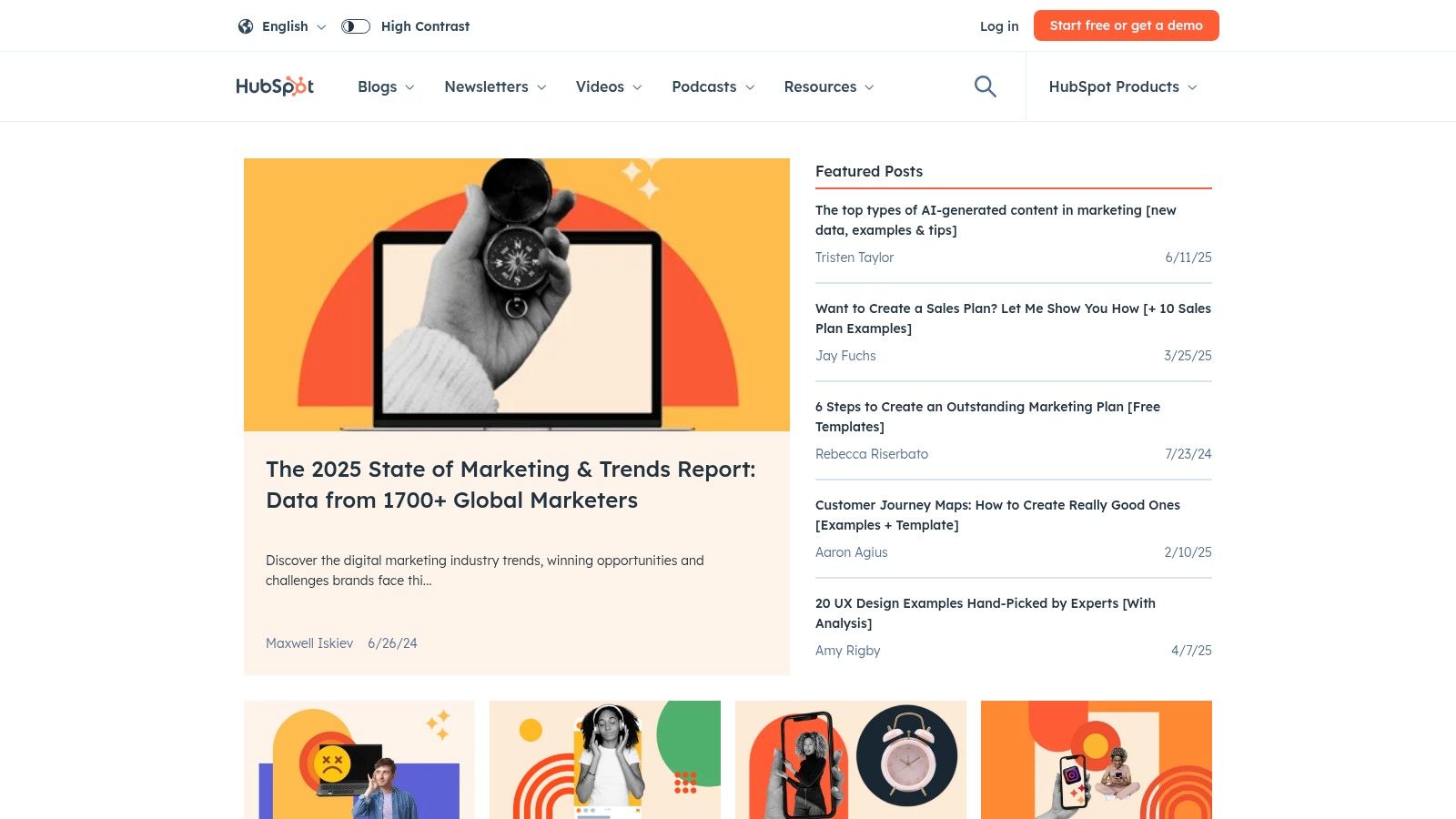
The platform’s core strength lies in its blend of inspiration and practical application. Each example is meticulously broken down, analyzing elements like subject lines, calls-to-action (CTAs), design choices, and personalization tactics. This analytical depth ensures readers don't just see what worked; they understand why it worked and how to replicate that success.
Key Features and User Experience
HubSpot’s user-friendly interface makes navigating its vast content library simple. Content is regularly updated to reflect current marketing trends, ensuring the examples and strategies are always relevant. One of its most valuable offerings is the collection of free, downloadable email templates. These templates are directly tied to the analyzed campaigns, allowing you to immediately apply what you’ve learned.
While the vast majority of content is free, accessing certain high-value resources like templates or comprehensive guides may require you to provide contact information, which is a common lead-generation tactic. This seamless integration with their own marketing software is a key part of their strategy, offering a clear pathway from learning to implementation.
Practical Tips for Marketers
To get the most out of the HubSpot Blog, focus on filtering content by your specific industry or campaign goal (e.g., re-engagement, welcome series, promotions). Pay close attention to the strategic breakdowns and consider how you can adapt the core principles to your own brand voice and audience. You can also explore how their content creation strategies can be enhanced by learning more about AI writing tools.
Website Link: HubSpot Blog
2. Really Good Emails
For designers, copywriters, and marketers focused on the visual and creative aspects of email, Really Good Emails is an indispensable source of inspiration. It operates as a massive, curated gallery showcasing thousands of the best email marketing campaign examples from leading brands across the globe. Unlike platforms that focus heavily on performance metrics, this site prioritizes exceptional design, clever copywriting, and innovative formatting.
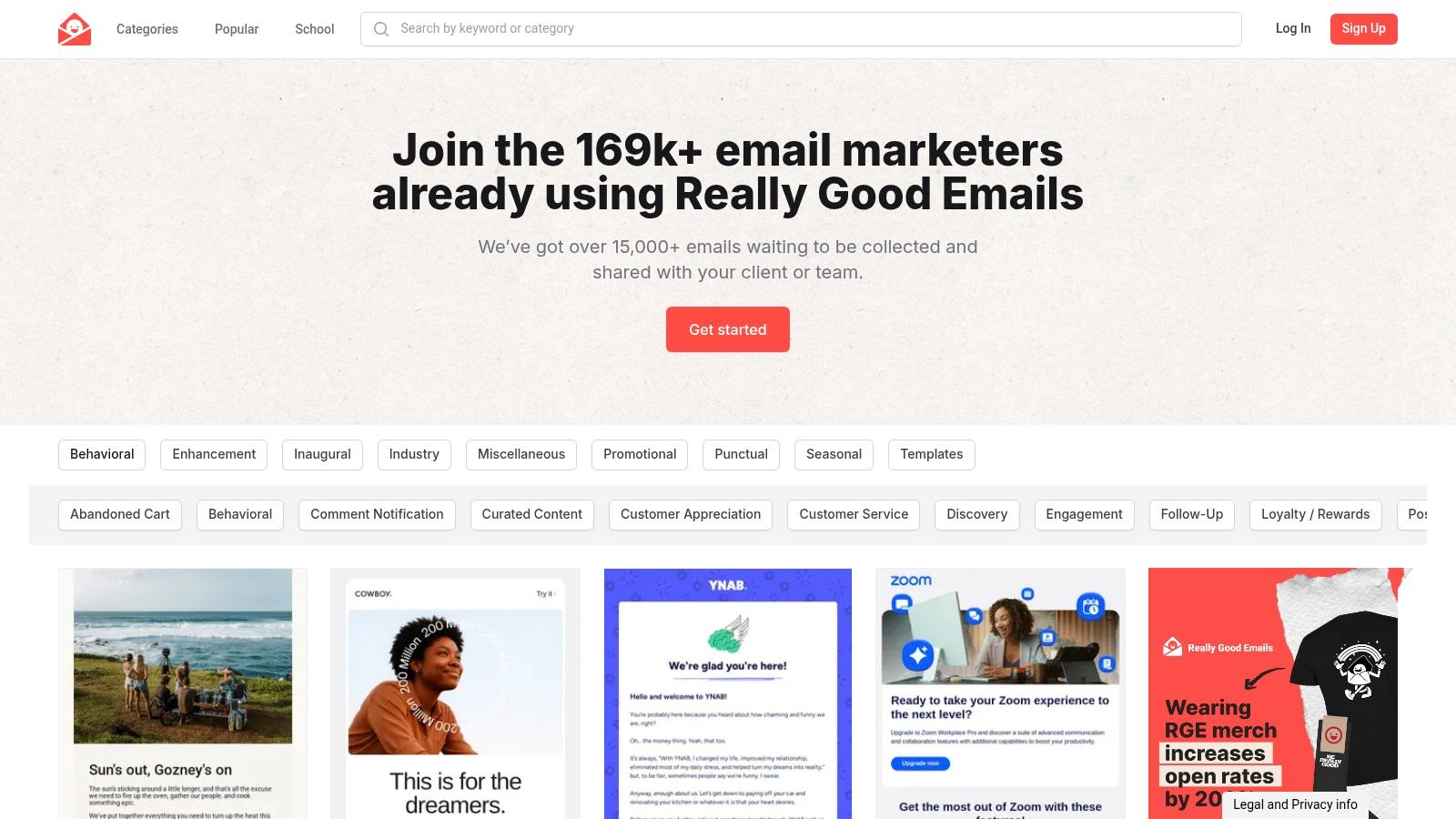
The platform’s primary strength is its sheer volume and diversity of high-quality, real-world examples. It serves as a visual encyclopedia where you can see exactly how top companies are executing their welcome series, promotional offers, and re-engagement campaigns. This focus on the final product makes it an ideal resource for brainstorming and jumpstarting the creative process.
Key Features and User Experience
Really Good Emails offers a clean, image-forward user experience that makes browsing a pleasure. Its powerful categorization and search functionality allow users to filter emails by type (e.g., "Abandoned Cart," "Product Announcement"), industry, and even specific elements like animated GIFs or unique holiday themes. The content is community-driven and constantly updated, ensuring a fresh supply of modern designs.
One of the site's most compelling features is its completely free and open access; no registration or login is required to browse the entire collection. While it excels at providing visual inspiration, it offers limited in-depth strategic analysis for each email. The focus remains squarely on the "what" (the design) rather than the "why" (the strategy behind it).
Practical Tips for Marketers
To maximize your time on Really Good Emails, use the robust filtering system to find examples directly relevant to your next campaign. Don't just look at emails from your own industry; exploring different sectors can spark innovative ideas for layout and messaging. Create your own "swipe file" by bookmarking designs that resonate with you, paying attention to how they use color, typography, and imagery to guide the reader's eye.
Website Link: Really Good Emails
3. Mailchimp Inspiration Gallery
For those who believe in learning by example, the Mailchimp Inspiration Gallery is a curated showcase of creativity and effectiveness. It serves as a direct source of inspiration by featuring real-world email marketing campaign examples from a diverse range of Mailchimp users. This platform excels by moving beyond theoretical advice and presenting tangible, successful campaigns that readers can analyze and emulate.
The gallery’s primary strength is its authenticity. These aren't just mockups; they are actual emails sent by businesses of all sizes, from small e-commerce shops to established brands. This provides a genuine look at what is currently resonating with audiences across various industries, offering a practical blueprint for design, copywriting, and campaign strategy.
Key Features and User Experience
The Mailchimp Inspiration Gallery is designed for visual discovery, with a clean, grid-based layout that makes browsing campaigns effortless. Users can filter examples by industry or campaign type (like newsletters, promotions, or announcements), allowing for a highly targeted search for relevant inspiration. Clicking on an example reveals the full email design, offering a clear view of its structure and content.
Access to the gallery is completely free, with no account required. Its true power, however, is unlocked for Mailchimp users who can draw direct inspiration and then use the platform’s tools to replicate the layouts and styles they admire. While the examples are limited to campaigns built within the Mailchimp ecosystem, this focused approach provides a clear path from inspiration to execution for its user base.
Practical Tips for Marketers
To maximize the value of this resource, don't just look at the designs; analyze the messaging. Pay attention to how different brands use headlines, body copy, and CTAs to drive action. Consider how the visual hierarchy guides the reader's eye toward the most important information. These insights are fundamental to building better campaigns, and you can discover why email automation best practices amplify their impact. Use the gallery to spark ideas for your next A/B test, whether it's trying a new layout, a different tone of voice, or a more visual approach.
Website Link: Mailchimp Inspiration Gallery
4. Campaign Monitor's Email Marketing Library
For marketers who believe that great design and compelling content are two sides of the same coin, Campaign Monitor's Email Marketing Library is an indispensable resource. It serves as a beautifully curated gallery, showcasing email marketing campaign examples that excel in both visual appeal and strategic messaging. The platform distinguishes itself by emphasizing the powerful synergy between aesthetics and effective communication.
The primary strength of Campaign Monitor is its focus on high-quality, real-world examples that are both inspirational and functional. Instead of just showing a finished product, the platform often provides context on why the design choices and copy work together to drive engagement. This approach helps users understand the strategic thinking behind a successful campaign, making it easier to adapt those principles to their own brand.
Key Features and User Experience
Campaign Monitor offers a clean, visually-driven user experience that makes browsing its examples and templates a pleasure. The content is neatly organized into categories, allowing you to find inspiration for everything from newsletters and promotional offers to welcome series and event invitations. Its collection of free, professionally designed email templates is a standout feature, providing a solid foundation for building your own campaigns.
While a significant portion of the gallery and guides are freely accessible, some high-value resources or template downloads may require you to provide an email address. This is a standard practice that funnels users into their ecosystem, providing a clear path from inspiration to execution using their own email marketing software. The overall experience is seamless and positions Campaign Monitor as both an educational hub and a practical tool.
Practical Tips for Marketers
To maximize your use of the platform, browse the examples with a specific goal in mind, such as improving your email's visual hierarchy or crafting a more engaging call-to-action. Pay close attention to how top brands balance imagery, text, and white space to create a clean, effective design. You can further enhance these designs by incorporating proven automation tactics, so consider reviewing some email automation best practices to complement your creative efforts.
Website Link: Campaign Monitor's Email Marketing Library
5. Email Design Inspiration by Dribbble
For marketers and designers who prioritize visual artistry, Dribbble’s Email Design Inspiration section is a treasure trove of creativity. Rather than focusing on performance metrics, this platform serves as a global gallery for innovative and aesthetically driven email concepts. It’s the perfect place to find email marketing campaign examples that break the mold, offering a purely visual feast from a vibrant community of professional designers.
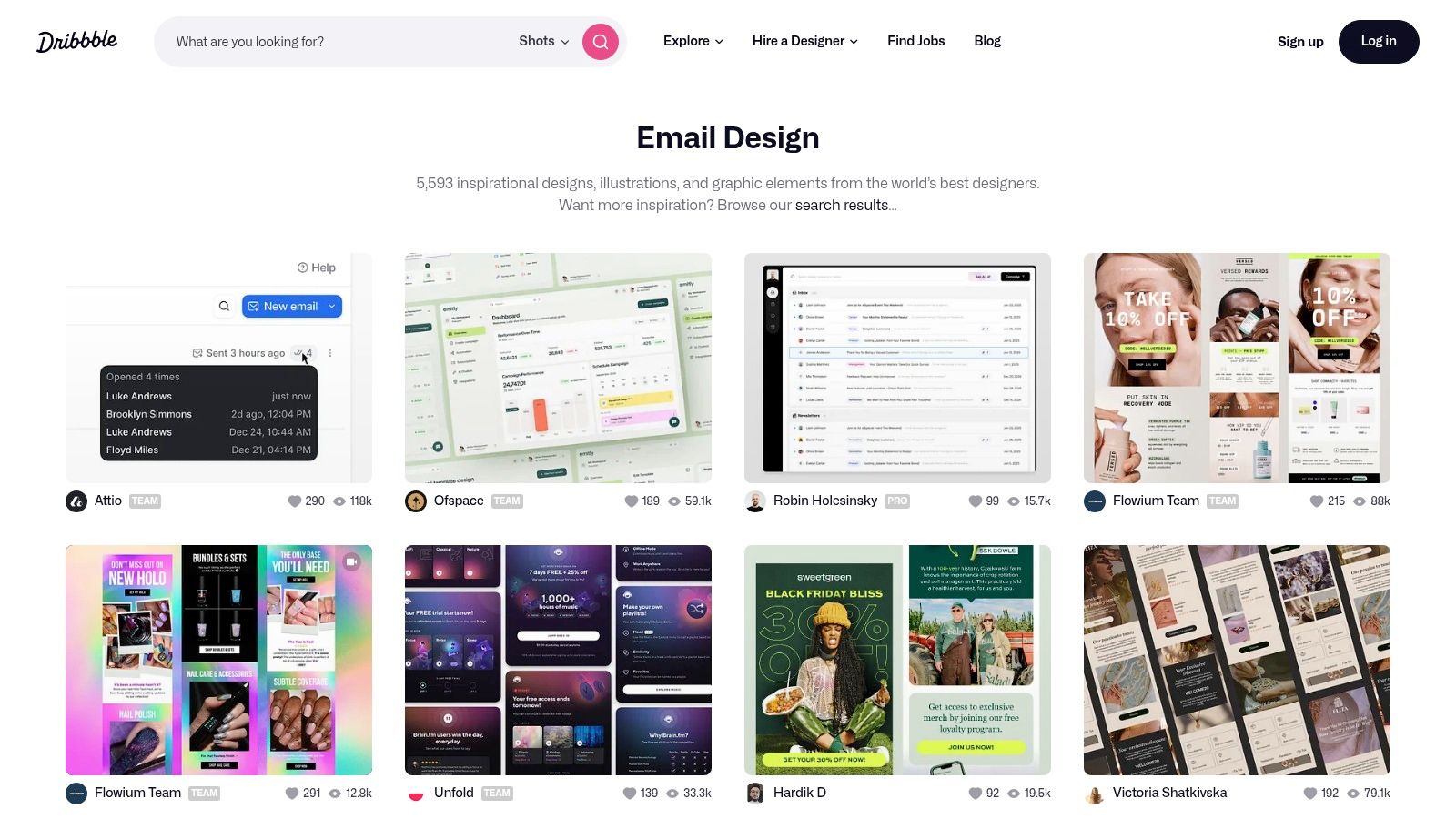
What makes Dribbble unique is its emphasis on design-first thinking. While other platforms dissect strategy and copy, Dribbble showcases the raw artistic potential of email. The examples range from minimalist layouts and bold typography to intricate illustrations and dynamic animations, providing endless inspiration for making your campaigns visually unforgettable.
Key Features and User Experience
Dribbble operates on a simple, highly visual, grid-based interface that allows for effortless browsing. Its content is entirely user-generated, ensuring a constant stream of fresh and diverse design ideas. Access to this core inspiration is completely free, with no registration required to browse the designs.
The platform's key strength is its community aspect. You can follow favorite designers, "like" their work, and even hire them directly for projects. However, a notable limitation is the absence of strategic analysis; the focus is almost exclusively on the creative execution. You see the stunning final product, but not the A/B testing or conversion data behind it. This makes it an excellent resource for brainstorming visual concepts but less so for strategic campaign planning.
Practical Tips for Marketers
To maximize Dribbble’s value, use it as a creative mood board during the initial design phase of a campaign. Search for specific terms like "welcome email," "transactional," or "newsletter" to find concepts relevant to your needs. Pay attention to emerging visual trends in color palettes, font pairings, and animation to keep your brand looking current. Remember to blend the visual inspiration you find here with proven strategic principles from other resources to create campaigns that are both beautiful and effective.
Website Link: Email Design Inspiration by Dribbble
6. Smartsheet's Email Campaign Examples
For professionals looking to understand the mechanics behind high-performing campaigns, Smartsheet offers a curated collection of email marketing campaign examples from leading brands. This resource serves as a strategic playbook, providing clear, analytical breakdowns of what makes an email effective, from its initial design to its core messaging and strategic intent. It is an excellent source for gaining a broad perspective on industry-best practices.
Smartsheet's main advantage is its straightforward, analytical approach. Instead of just showing you a pretty email, it dissects the campaign's purpose, highlights key design elements, and explains the content strategy. This method helps marketers, project managers, and business owners grasp the fundamental principles that drive engagement and conversions across various sectors.
Key Features and User Experience
The platform is designed for clarity and ease of use, presenting its examples in a clean, article-style format. Access is completely free and requires no registration, allowing for quick, unrestricted browsing of its content. The examples are drawn from well-known brands like Uber, Airbnb, and BuzzFeed, offering insights into how large companies execute their email strategies.
While the analysis is comprehensive and insightful, the resource is primarily informational. It lacks the interactive elements or downloadable templates found on other platforms. The focus is purely on education and strategic understanding rather than providing ready-to-use assets. This makes it ideal for the initial research and inspiration phase of campaign planning.
Practical Tips for Marketers
To maximize the value of Smartsheet's examples, use them as case studies to inform your own campaign briefs and creative discussions. Analyze how different brands use visual hierarchy, color psychology, and compelling copy to guide the reader's eye toward the call-to-action. You can also explore how to streamline your content creation process by learning how to automate content creation for your newsletter.
Website Link: Smartsheet's Email Campaign Examples
7. MailCharts
For marketers who thrive on competitive intelligence and data, MailCharts is an indispensable platform that offers a powerful, searchable database of email marketing campaign examples. It functions as a competitive research tool, allowing you to peek behind the curtain and see the email strategies of thousands of leading e-commerce brands. This focus on real-world, current campaigns from direct competitors is what sets it apart from more general-purpose blogs.
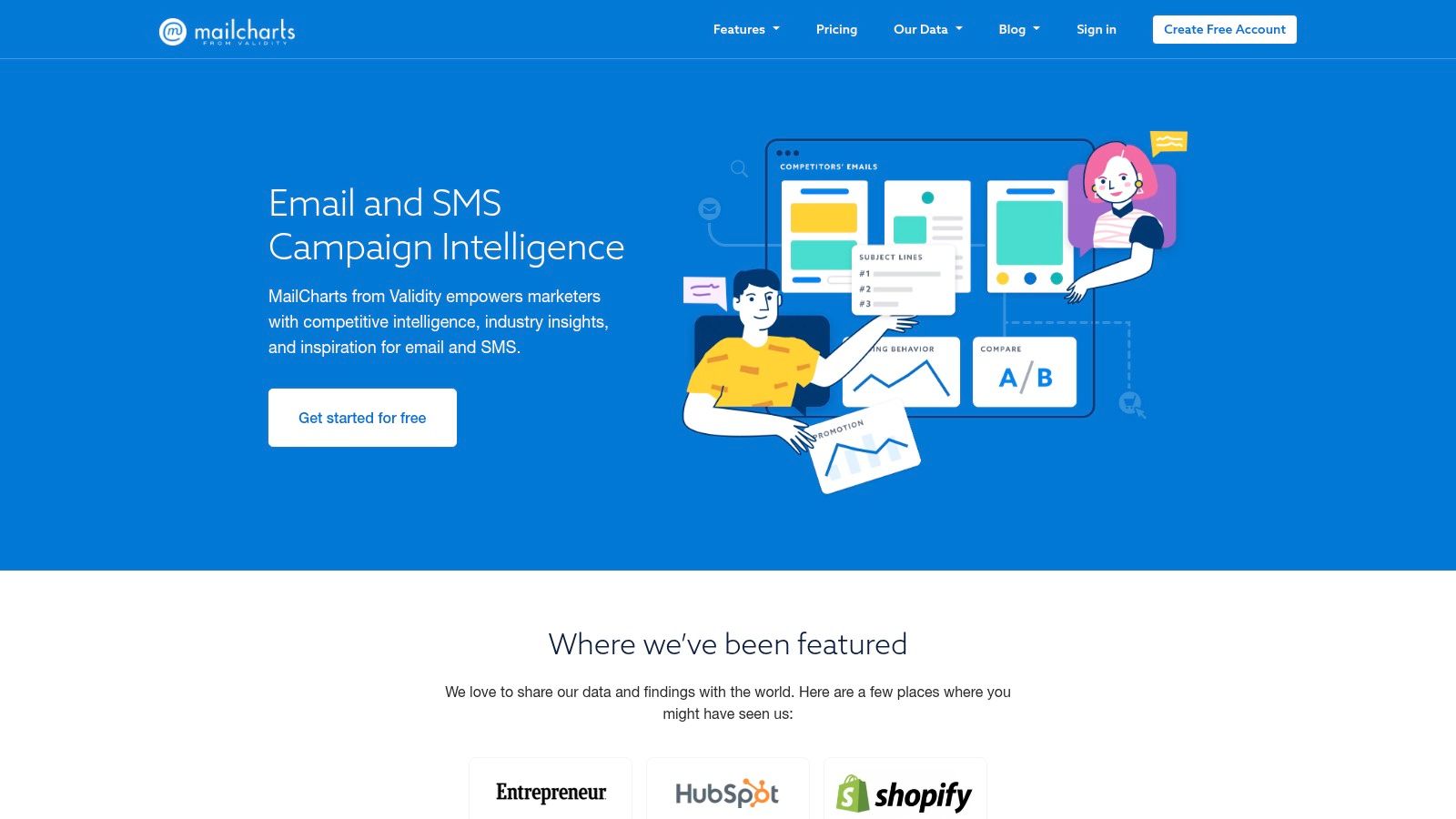
The platform's primary strength is its sheer volume of indexed emails, coupled with detailed metadata. Instead of just showing a screenshot, MailCharts provides context, including sending frequency, promotional calendars, and email cadence. This allows you to analyze not just a single email but a brand's entire email marketing journey over time, providing a much deeper level of strategic insight.
Key Features and User Experience
MailCharts boasts a clean, intuitive interface that makes searching its extensive database a straightforward process. You can filter campaigns by industry, brand, or even specific campaign types like "abandoned cart" or "Black Friday sale," making it easy to find relevant examples. The platform also curates high-performing email lists and provides reports on industry trends.
While MailCharts offers a free plan with limited access, its most powerful features are locked behind a paid subscription. The free version is great for getting a taste of the platform's capabilities, but serious competitive analysis requires a pro account. This paywall is a key consideration for individuals or small teams on a tight budget, but for data-driven marketing teams, the investment can yield significant returns. For those looking to integrate cutting-edge technology into their campaigns, you can explore the future of B2B email marketing with AI.
Practical Tips for Marketers
To maximize your use of MailCharts, start by creating a list of your top 5-10 competitors and track their email campaigns over a few months. Analyze their promotional frequency, the types of offers they send, and their holiday campaign strategies. Use this intelligence not to copy their tactics directly, but to identify gaps in your own strategy and find inspiration for A/B testing new ideas.
Website Link: MailCharts
7-Source Email Campaign Examples Comparison
| Resource | 🔄 Implementation Complexity | 💡 Resource Requirements | 📊 Expected Outcomes | 🎯 Ideal Use Cases | ⭐ Key Advantages |
|---|---|---|---|---|---|
| HubSpot Blog | Moderate – requires engagement | Free templates, some contact information needed | Detailed understanding, practical tools | Learning campaign creation & integration | In-depth content, free resources, integration |
| Really Good Emails | Low – browse and search examples | Free, no registration | Visual inspiration, broad idea generation | Finding design ideas & industry examples | Large, diverse, community-driven, no sign-up |
| Mailchimp Inspiration Gallery | Moderate – tailored to Mailchimp users | Free, Mailchimp account for best use | Practical replication, campaign insights | Mailchimp users wanting replication & ideas | Real-world examples, platform integration |
| Campaign Monitor Library | Moderate – combine design and strategy | Free templates, some contact info required | Balanced design & content guidance | Strategic and creative campaign development | High-quality templates, educational materials |
| Email Design Inspiration (Dribbble) | Low – browsing creative designs | Free, no registration | Unique, creative visual concepts | Designers and creativity-focused users | Diverse creative examples, designer engagement |
| Smartsheet Email Examples | Moderate – analytical reading | Free, no registration | Comprehensive campaign insights | Understanding success factors and strategy | Detailed analysis, brand examples |
| MailCharts | High – subscription required for full access | Paid subscription for full features | Competitive analysis & data-driven insights | Market analysis and strategic planning | Extensive, searchable, data-focused |
From Inspiration to Implementation: Your Next Steps
We've explored a powerful collection of resources, from the strategic breakdowns in HubSpot's blog to the visual feast on Dribbble. The journey through these email marketing campaign examples reveals a clear truth: successful email marketing isn't about finding a single magic formula. It's about understanding core principles and adapting them to your unique audience and goals.
The examples showcased, whether from Mailchimp's gallery or the data-rich archives of MailCharts, consistently highlight several universal themes. Personalization goes beyond just using a first name; it's about segmenting audiences for relevant content. Strong, compelling design isn't just aesthetic; it guides the user's eye and drives action. And every effective campaign, from a simple welcome email to a complex re-engagement sequence, is built on a clear, singular objective.
Key Takeaways for Your Strategy
As you move from inspiration to action, keep these core principles at the forefront of your planning:
- Define a Single Goal: Before writing a single word or choosing a template, ask: "What is the one action I want the subscriber to take?" Every element of your email, from the subject line to the CTA button, should serve this one goal.
- Segment and Personalize: The most impactful email marketing campaign examples are hyper-relevant. Use the data you have, such as purchase history, browsing behavior, or engagement level, to send the right message to the right person at the right time.
- Prioritize Clarity Over Clutter: Many of the best designs we saw were simple. They used whitespace, a clear visual hierarchy, and a focused message to make it incredibly easy for the reader to understand the offer and take the next step.
- Test Everything, Assume Nothing: Your audience is unique. What works for a B2B SaaS company might not work for a D2C fashion brand. Continuously A/B test your subject lines, CTAs, send times, and content to find what resonates with your subscribers.
Choosing the Right Tools and Implementing Your Vision
The resources we've covered, like Campaign Monitor's library and Smartsheet's templates, provide the "what." Your next step is to master the "how." Selecting the right email service provider (ESP) is critical. Consider factors like:
- Automation Capabilities: Can the tool handle sophisticated workflows for welcome series, abandoned carts, or customer anniversaries?
- Segmentation Power: How easily can you create dynamic audience segments based on complex criteria?
- Analytics and Reporting: Does the platform provide clear, actionable data to measure performance and inform your next campaign?
Building a great email isn't just about design; it's an integrated process. It requires strategic planning, creative execution, and rigorous analysis. By combining the inspiration from these real-world examples with a systematic approach, you can transform your email program from a simple communication channel into a powerful engine for growth. The key is to start, learn, and iterate.
Feeling inspired but need to accelerate your content creation process? Stravo AI helps you generate high-quality, on-brand copy for your emails, subject lines, and landing pages in a fraction of the time. Turn the strategic insights from these examples into polished campaigns faster with Stravo AI.