Business process automation shows up in real-world workflows like sales lead qualification and routing (often lifting conversions up to 30%), chatbot-based customer support that resolves about 55% of routine inquiries, OCR-driven invoice capture and matching that can cut processing time by up to 80%, and automated approvals and e-signatures that shrink cycle times dramatically. Common cases also include vendor onboarding and renewals, IT helpdesk triage, employee self-service portals, and logistics tracking with ETA updates. The next sections highlight 15 practical examples across teams.
Key Takeaways
- Automated lead qualification and routing in sales boosts conversions up to 30% and reduces manual CRM data-entry errors.
- AI customer-support chatbots handle routine questions 24/7, instantly resolving about 55% of inquiries and speeding ticket escalation.
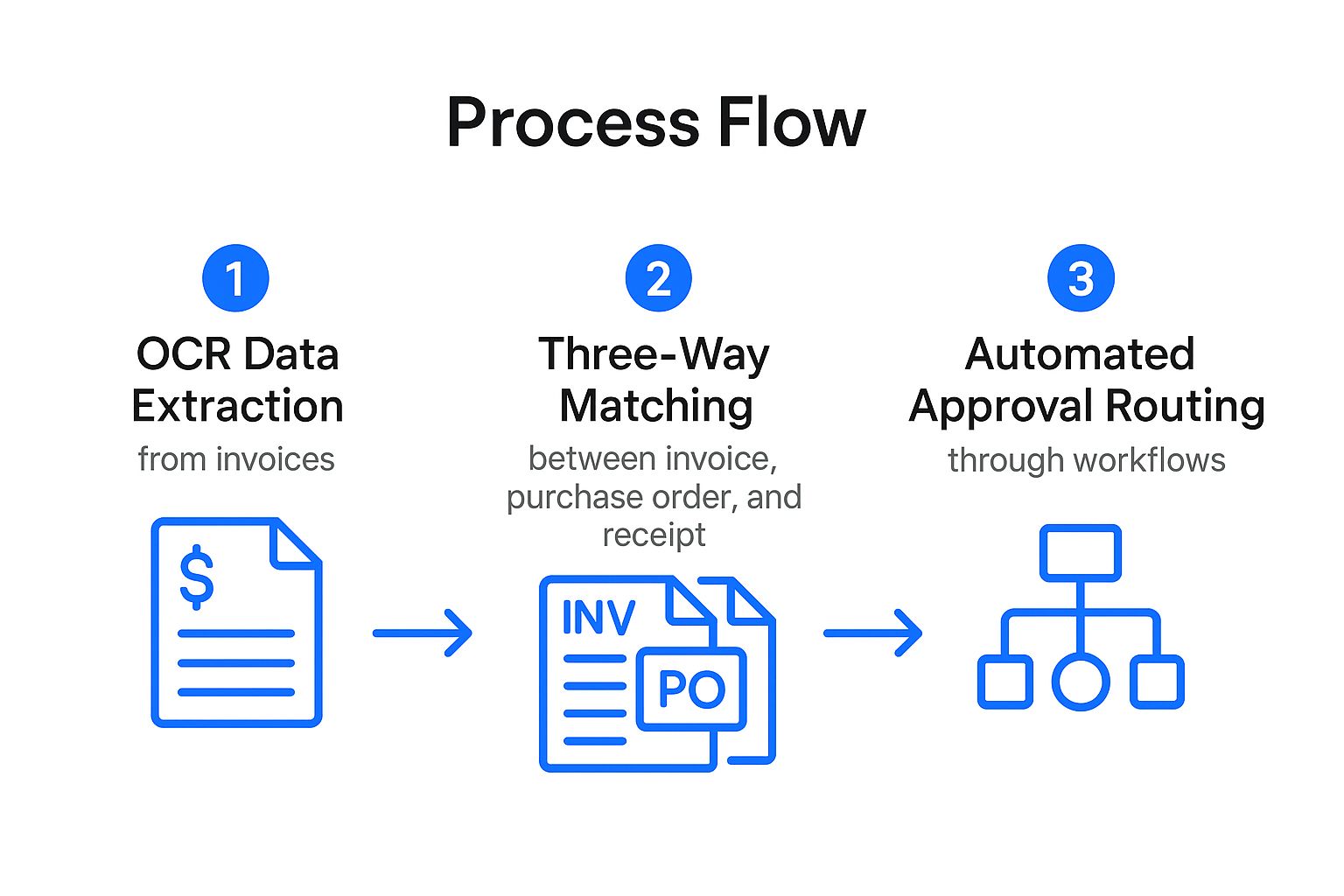
- Invoice processing automation using OCR and PO matching cuts finance cycle times up to 80% and flags discrepancies for quick resolution.
- Procurement workflows automate vendor selection and approvals by pulling records from SAP, Oracle, and SharePoint, shortening sourcing cycles.
- IT and HR self-service portals automate requests, categorization, and scheduling, reducing manual processing up to 50% and improving transparency.
15 Business Process Automation Examples by Team
How does business process automation show up across different teams? In sales, automated lead qualification and routing support process optimization, lifting conversion rates by up to 30% while reducing manual data-entry errors. Customer support applies AI integration through chatbots that resolve 55% of inquiries instantly, improving response times and customer satisfaction scores. Procurement teams use automated vendor-selection workflows that pull records from SAP, Oracle, and SharePoint, streamlining sourcing and shortening approval cycles. Finance departments automate invoice processing with OCR, cutting processing time by up to 80% and reducing manual labor costs. Across functions, these examples standardize handoffs, increase data quality, and make performance gains measurable without adding headcount. Stravo AI supports content teams with instant draft feedback and refinement, which is essential for maintaining brand voice consistency across automated processes. The net effect is faster decisions and more consistent service delivery for internal and external stakeholders.
Business Process Automation for Day 1 Onboarding
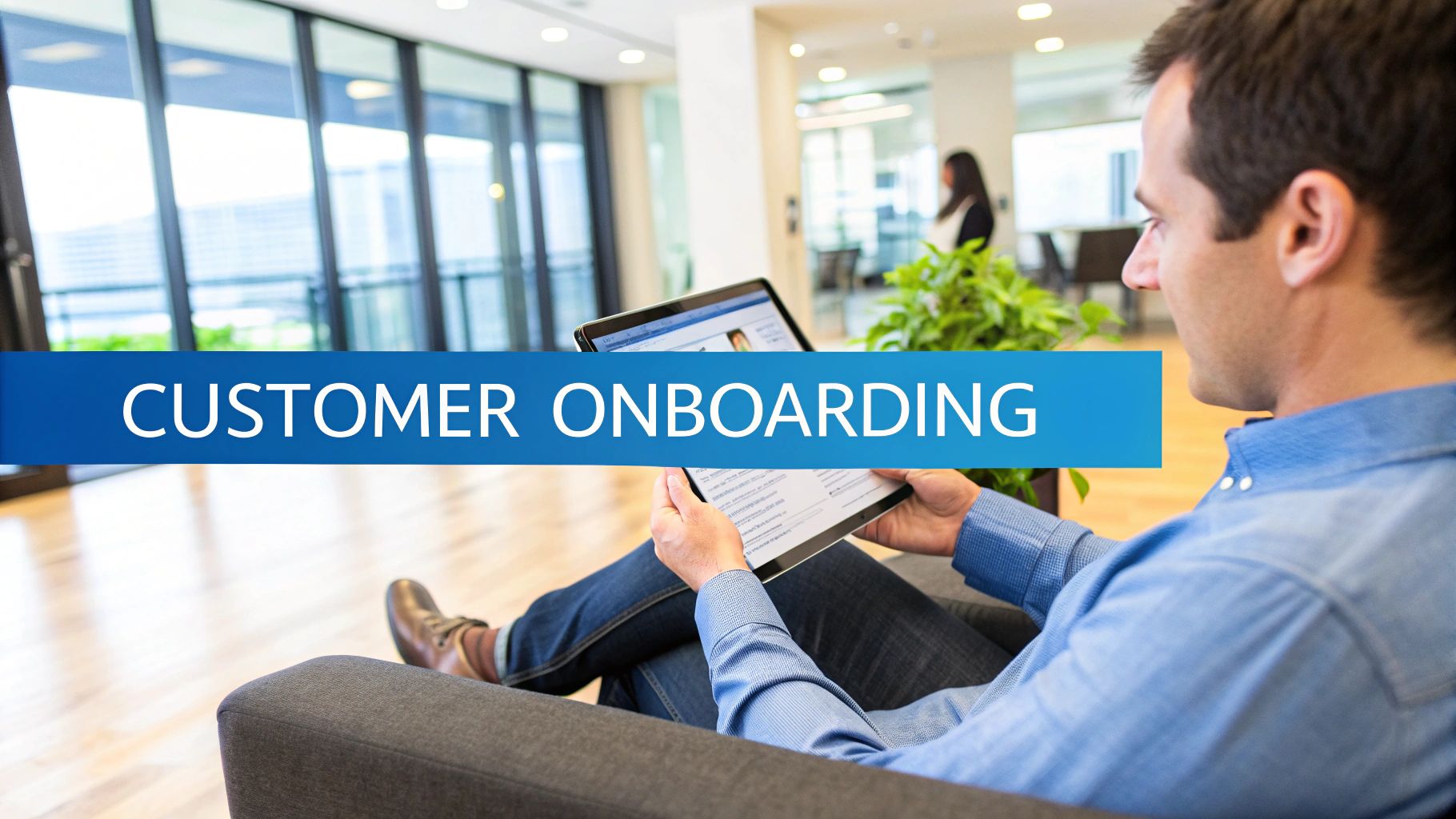
Day 1 onboarding is another area where business process automation delivers measurable gains by standardizing handoffs and eliminating manual follow-ups. Automating new hire data collection cuts onboarding time by 40–50%, while self-service portals let employees complete paperwork, benefits enrollment, and required learning immediately—supporting stronger employee engagement from the first hours. Role-based templates trigger digital workflows that provision IT assets, grant system access, and schedule training without back-and-forth. These automated systems can be integrated with digital tools like Trello or Asana to streamline the onboarding process further. Auto-capture of new hire details into HR systems. Role-specific routing for equipment, accounts, and courses. Milestone notifications to managers and HR for timely completion. Real-time dashboards to track onboarding metrics and spot bottlenecks. With progress visibility, teams can intervene early and improve the overall new hire experience.
Business Process Automation for Invoice Capture and Matching
Invoice capture and matching is a high-impact use case for business process automation because it replaces error-prone manual entry and slow approvals with standardized, auditable workflows. OCR extracts fields from paper and digital invoices, improving Invoice accuracy and reducing rework. Automated matching against purchase orders and goods receipt notes speeds processing and strengthens compliance through validation that flags exceptions. Rules-based routing cuts cycle time by up to 80%, while dashboards expose bottlenecks and support steadier cash flow and Payment reconciliation. By automating workflows, businesses can ensure consistent, timely updates and reduce manual effort, enhancing overall operational efficiency.
| Before automation | After automation |
|---|---|
| Keying fatigue | Clean, captured data |
| Missed discrepancies | Exceptions surfaced fast |
| Vendor frustration | Predictable payment timing |
| Audit anxiety | Traceable validations |
| Cash-flow surprises | Real-time visibility |
Business Process Automation for Approvals and E-Signatures
Approvals and e-signatures are prime candidates for business process automation because they turn slow, paper-heavy decision chains into standardized, secure, and auditable workflows. With rule-based routing, Automated approvals reduce manual handoffs, enforce policy, and keep work moving. Kyocera, for example, cut pricing approval time from 10 days to 1.5 days by automating decision paths and notifications. BPM platforms also streamline vendor selection and contract approval, pairing electronic signatures with email alerts so stakeholders remain aligned. Digital workflows replace paper, strengthen E signature security, and produce an audit trail that supports regulatory compliance and remote sign-off without delays. An AI Writer with 100+ templates can further enhance these processes by providing customizable communication templates to ensure clear and consistent messaging across all automated workflow steps.
- Rule-based escalation and delegation
- Integrated e-signing within approval steps
- Automated email notifications and status visibility
- Centralized audit logs for compliance
Business Process Automation Chatbots for Customer Support
Business process automation chatbots for customer support provide 24/7 instant query handling, resolving routine requests such as order tracking and password resets while reducing response times and costs. They also streamline ticket triage and escalation by using NLP to classify intent, address common issues automatically, and route complex cases to human agents. In addition, agent assist and analytics capabilities surface suggested replies and trends from conversation data, helping improve service quality as customers increasingly prefer messaging over phone or email. By tracking relevant metrics such as response times and resolution rates, businesses can optimize chatbot performance and enhance overall customer satisfaction.
24/7 Instant Query Handling
How can customer support stay responsive when inquiries arrive around the clock? In “Business Process Automation Examples: Real-World Cases,” instant query handling shows how automation chatbots deliver 24/7 answers, cutting wait times and lifting satisfaction.
Using natural language processing and machine learning, AI assistants understand intent and resolve routine needs—order tracking, FAQs, and account help—without human delay.
At scale, they handle spikes in demand simultaneously, expanding capacity without adding staff. Studies report response-time reductions of up to 80%, improving efficiency and user experience.
Strong performance depends on Customer feedback loops and ongoing chatbot customization to match product language and policies.
- Always-on availability for global customers
- Immediate self-service for common questions
- Consistent answers across channels
- High-volume handling during peak periods
Ticket Triage And Escalation
When customer inquiries flood in from multiple channels, ticket triage and escalation automation keeps support queues orderly and fast. Business process automation chatbots classify tickets using keywords, intent, and issue severity, then assign priority so urgent requests surface immediately.
With AI and NLP, these bots can resolve up to 55% of inquiries on the spot, cutting workload while maintaining consistent intake. For matters that exceed predefined thresholds, automated escalation workflows route cases to the right human agent or team, reducing response times and improving satisfaction.
Triage engines also learn from historical outcomes and Customer feedback to refine categorization and routing rules. Ongoing ticket analytics highlight recurring problems and queue bottlenecks, enabling continuous process improvements and better resource allocation without manual sorting overhead.
Agent Assist And Analytics
Beyond sorting and routing tickets, agent-assist automation supports customer service teams during the live interaction itself. Using AI integration with NLP, chatbots answer routine questions instantly and can cut response times by up to 80%, while also guiding agents in real time with suggested replies and relevant account context.
Advanced systems track conversations, auto-escalate complex cases to humans, and preserve detailed logs for compliance. They also produce Customer insights through analytics on top issues, resolution time, and satisfaction scores.
With 55% of customers preferring messaging supported by automation, organizations gain engagement and efficiency without sacrificing quality. Common capabilities include:
- Instant intent detection and reply drafts
- Real-time knowledge retrieval and data surfacing
- Automated escalation with audit-ready transcripts
- Conversation analytics dashboards for continuous improvement
Business Process Automation for Order Routing and Fulfillment
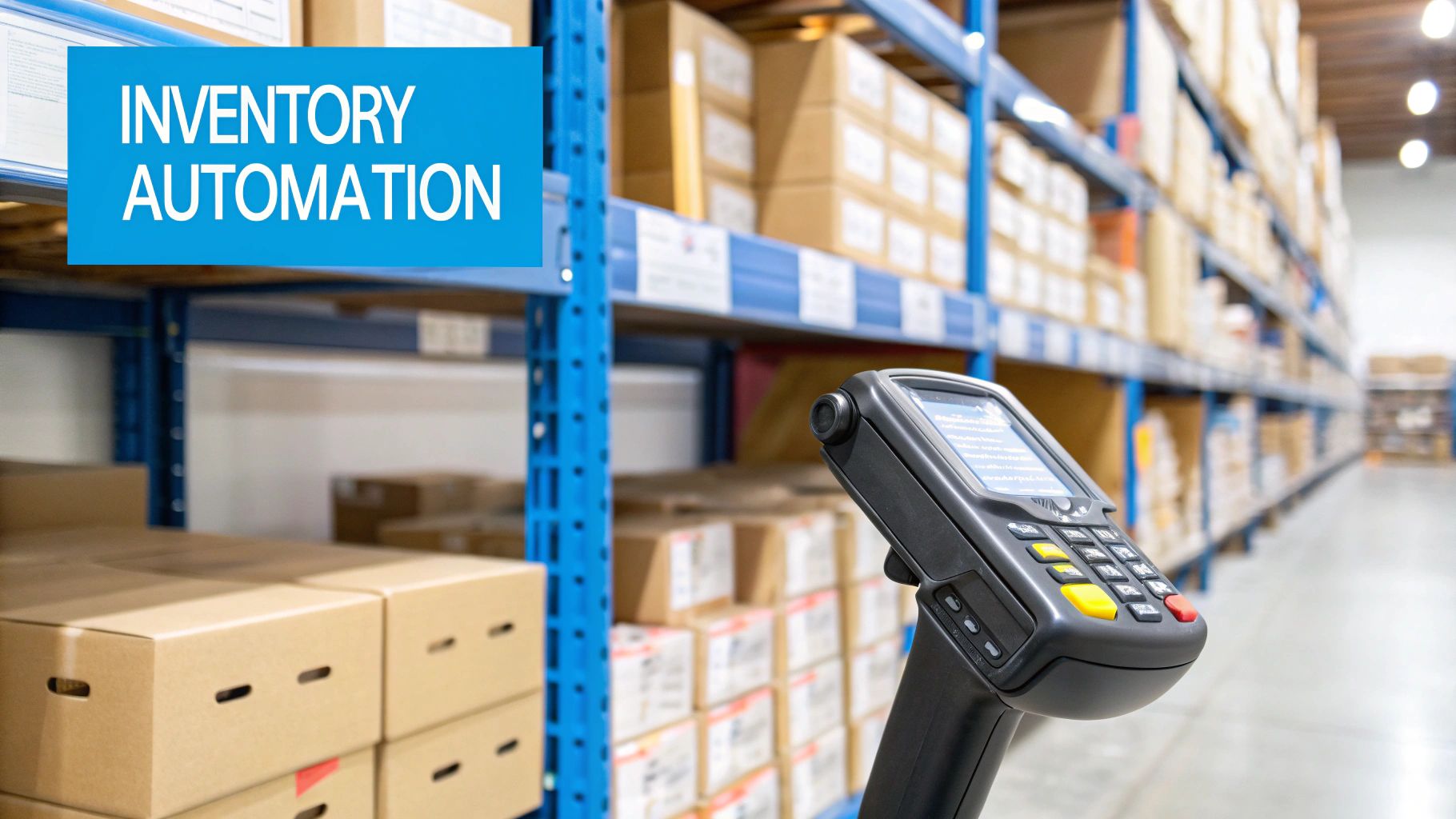
In fast-moving commerce operations, automated order routing and fulfillment guarantee each order is validated and directed correctly the moment it is placed. Systems check stock levels and customer details in real time, improving Order accuracy and cutting fulfillment errors by up to 30%.
End-to-end automation links storefronts such as Shopify or Dynamics 365 to warehouse management, accelerating pick-pack-ship cycles and reducing order processing time by 40%, strengthening Warehouse efficiency.
Carrier API integrations automatically create shipping labels and push real-time tracking updates, increasing delivery precision.
Automated workflows also adjust inventory immediately and alert supply chain teams when quantities drop below set thresholds.
Built-in exception handling resolves out-of-stock events and payment failures without manual intervention, preserving a consistent customer experience across channels.
Understanding how prepositional phrases function as adjectives or adverbs can enhance the clarity and effectiveness of automation-related documentation by specifying relationships of time, place, and manner.
Business Process Automation for Employee Self-Service Requests
How can organizations reduce the time spent handling routine HR and IT requests without adding administrative burden? Employee self-service portals automate leave, benefits, and other HR services, cutting manual processing by up to 50% while providing real-time status updates and approvals. This transparency supports Employee Engagement and consistent policy application. HR Analytics reveals request volumes, cycle times, and bottlenecks for continuous improvement. Tulsa Community College, for example, replaced paper leave forms with digital workflows, improving speed and control. Self-service automation also streamlines onboarding by coordinating document collection, access provisioning, and training scheduling, reducing onboarding time by 40–50% and freeing staff for strategic work. As AI technology advances, natural language processing will enhance the realism and quality of automated employee interactions, further optimizing HR service delivery.
Business Process Automation for IT Helpdesk Tickets
Business process automation for IT helpdesk tickets streamlines support by standardizing automated ticket intake and capturing key details at submission. Smart routing and prioritization then categorize requests by issue type and urgency, accelerating assignment and reducing resolution times. Self-service and knowledge base integration further deflect common inquiries, enabling faster answers and lowering ticket volume. Additionally, utilizing AI-driven content creation can enhance the quality of responses and provide consistent support across various communication channels.
Automated Ticket Intake
When support requests arrive from email, chat, portals, and phone transcripts, automated ticket intake uses AI to categorize, prioritize, and assign each issue with minimal human intervention. In IT helpdesks, this replaces manual triage, enabling Ticket prioritization at scale while keeping user satisfaction high through instant acknowledgment and consistent handling.
- Classifies incidents, service requests, and access issues using trained models and historical patterns.
- Extracts key details (device, app, error codes) to reduce back-and-forth and improve data quality.
- Integrates with existing ITSM platforms for seamless data flow and real-time status updates.
- Absorbs ticket spikes without staffing increases; organizations report up to 50% faster resolution times.
The result is faster response, fewer misfiled tickets, and measurable efficiency gains across support operations.
Smart Routing And Prioritization
Across high-volume IT helpdesks, smart routing and prioritization uses AI to assign each ticket to the right team and rank it by urgency and impact within seconds.
Classification models detect issue type, match required skills, and apply Customer segmentation so VIP accounts, regulated environments, or revenue-critical systems receive stricter response targets.
Prioritization algorithms score severity and downstream impact, pushing critical incidents to on-call queues so they are addressed within minutes and overall resolution times drop.
Data validation checks required fields, device IDs, and error logs before routing, reducing rework and misassignment.
Automated workflows can resolve up to 70% of requests without human intervention, increasing efficiency.
Real-time dashboards expose ticket volume, response times, and bottlenecks, enabling proactive rebalancing and cutting average handling time by up to 50%.
Self-Service And Knowledge Base
How can an IT helpdesk deflect routine tickets without sacrificing service quality? In “Business Process Automation Examples: Real-World Cases,” self-service and knowledge base automation pairs AI chatbots with integrated articles to deliver instant answers and reduce response times by up to 55%.
With strong Knowledge sharing, employees can solve 60% of common issues without human intervention, while automation keeps service consistent.
- AI chatbots handle FAQs, password resets, and setup guidance in real time.
- Knowledge bases surface context-specific steps inside portals and chat flows.
- Automated categorization and routing reduce manual workload and error rates.
- Status updates and notifications provide transparency and faster resolution.
Customer feedback then informs article improvements, closing gaps and continuously raising deflection rates and satisfaction across IT and HR portals.
Business Process Automation for Calendar-Based Scheduling
Why should calendar-based scheduling remain a manual chore in an era of integrated automation? For stronger time management and scheduling efficiency, organizations adopt self-service booking that can cut appointment setup time by up to 60%. Modern tools sync with Outlook or Google Calendar, automatically checking availability to prevent double bookings and meeting conflicts. Automated reminders and rescheduling prompts contribute to a reported 30% reduction in no-shows, protecting revenue and service continuity. Beyond appointments, workflow automation assigns rooms, equipment, or staff based on calendar capacity, improving utilization and reducing idle time. Automated solutions for document management enhance security and compliance, ensuring that all scheduled meetings and appointments meet necessary standards. Real-time updates allow instant changes when priorities shift, resolving conflicts quickly and keeping customers informed. The result is smoother operations, clearer calendars, and more predictable daily throughput across service teams.
Business Process Automation for Lead Handoffs and Follow-Ups
For lead handoffs and follow-ups, business process automation often starts with automated lead routing rules that transfer qualified leads from marketing to sales with consistent data and minimal delay. Triggered follow-up sequences then launch based on engagement signals or scoring thresholds, generating real-time notifications and task assignments through CRM and marketing automation integration. Automated reminders and nurturing steps help sustain timely contact, supporting higher conversion rates than manual workflows. Additionally, AI tools like HyperWrite can enhance efficiency and maintain a consistent brand voice, further optimizing lead management processes.
Automated Lead Routing Rules
When leads enter the pipeline, automated lead routing rules guarantee they are assigned immediately to the right sales representative based on criteria such as region, deal size, or product interest.
Using lead segmentation and routing algorithms, organizations standardize distribution, reduce manual errors and bias, and shorten response times from hours to minutes.
CRM integrations preserve real-time visibility into lead status and assignment history, strengthening accountability.
Data indicates up to 30% higher conversion rates when routing is faster and more targeted.
Key design choices include:
- Territory and language-based assignments for regional coverage
- Deal-value thresholds that prioritize enterprise versus SMB queues
- Product-interest matching to specialists for technical accuracy
- Load-balancing rules that prevent rep overload and missed handoffs
Triggered Follow-Up Sequences
How quickly a lead receives the next touchpoint often determines whether interest converts into a meeting or fades. Triggered follow-up sequences operationalize that speed through predefined actions and timed intervals. After an inquiry, an automated email or task can launch immediately, then continue with scheduled messages until a reply or meeting is booked.
Organizations report response-rate gains of up to 30% when follow-ups are automated, while consistent touchpoints reduce manual effort and missed opportunities.
Customer segmentation strengthens outcomes by tailoring cadence and content to industry, intent, or lifecycle stage. With CRM integration in Dynamics 365 or Salesforce, real-time triggers support Data synchronization across records, ensuring sales and service teams act on the same context.
Companies using these workflows often see sales pipeline velocity rise by 20% overall.
Business Process Automation for Recruitment Screening
Why do recruitment teams still spend hours sifting through applications that software can evaluate in minutes? Business process automation for recruitment screening applies AI to resumes, cover letters, and application data, cutting hiring time by up to 50% while improving match accuracy and consistency.
Machine learning compares qualifications to role requirements, highlighting experience, skills, and cultural fit to raise hiring quality. Digital workflows also flag incomplete submissions and potential red flags, supporting compliance and reducing manual review.
Candidate engagement improves through timely updates, while interview scheduling becomes automatic through calendar coordination, notifications, and structured feedback capture.
- Rank applicants against job criteria in seconds
- Auto-detect gaps, inconsistencies, and missing fields
- Trigger interview scheduling and reminders automatically
- Centralize interviewer feedback for faster decisions
Business Process Automation for Vendor Onboarding and Renewals
Business process automation can compress vendor onboarding from weeks to days through automated vendor qualification checks and secure digital document capture.
Streamlined contract renewal workflows can issue automatic reminders and route approvals consistently, improving renewal rates while reducing manual errors.
Integrated compliance and alerts can sync vendor data across systems such as SAP and SharePoint to strengthen accuracy, monitoring, and audit readiness.
Automated Vendor Qualification Checks
When vendor onboarding volumes rise, automated vendor qualification checks provide a faster, more reliable way to verify credentials, compliance documents, and financial stability—cutting onboarding time by up to 60%. These controls reduce manual evaluation effort while strengthening governance over supplier risk and eligibility.
AI-powered extraction validates submitted files with high accuracy, lowering human error by over 70% and accelerating approvals. Integrations with ERP platforms such as SAP and Oracle consolidate screening results into a centralized dashboard, giving procurement and compliance teams real-time status visibility and risk scoring.
Organizations maintain a compliant vendor base, improve sourcing efficiency, and reduce administrative costs by standardizing checks across regions and business units.
- Automated validation of core vendor data
- Real-time risk assessments and status updates
- Exception routing for missing or expired documents
- Audit-ready logs for consistent oversight
Streamlined Contract Renewal Workflows
Automated vendor qualification checks establish a reliable onboarding baseline, but the value compounds through streamlined contract renewal workflows that keep supplier relationships compliant and current over time.
In practice, workflow automation reduces manual oversight and errors, supporting renewal compliance through consistent, rules-based routing and standardized renewal packets.
Integrated with existing vendor management systems, contract management teams gain real-time visibility into upcoming renewal deadlines and renewal statuses via dashboards.
Digital approval processes accelerate contract reviews and negotiations, cutting renewal cycle time by up to 50% while preserving auditability.
Automated notifications and reminders keep internal reviewers and vendors aligned, improving engagement and reducing missed renewal opportunities.
With clearer status tracking, procurement leaders can manage renewals proactively, prioritize critical suppliers, and enter renegotiations with current performance and pricing context.
Integrated Compliance And Alerts
How can vendor onboarding and renewals remain continuously compliant without constant manual oversight? Integrated compliance and alerts embed checks directly into automated workflows, verifying documents, running background screens, and enforcing regulatory standards from the first submission through renewal.
With integrations to SAP or Oracle, records stay synchronized, enabling reliable Compliance oversight and audit-ready tracking across the vendor lifecycle. Automated reminders and contract milestone notifications reduce missed deadlines, while electronic signatures and secure notices keep approvals fast and transparent.
Alert customization routes the right signal to the right stakeholder, improving risk response and continuity.
- Auto-validate required onboarding documentation
- Trigger background checks and policy controls
- Flag exceptions and send targeted compliance alerts
- Schedule renewal prompts tied to contract milestones
Business Process Automation for Logistics Tracking and ETAs
Why do logistics ETAs still drift in manual workflows? Because static schedules, delayed status checks, and siloed updates degrade Inventory accuracy and fleet management decisions.
Business process automation replaces guesswork with real-time GPS and IoT sensor feeds, continuously recalculating ETAs and pushing delivery updates as conditions change.
AI-powered route optimization analyzes traffic patterns, weather, and delivery windows to select cost-efficient paths automatically.
Supply chain automation tools generate dynamic shipping schedules, adapt to disruptions, and forecast delays before service levels slip.
Real-time shipment tracking dashboards let dispatchers, operations, and customers monitor progress and replan quickly.
When logistics platforms integrate with customer portals, end-users receive automatic notifications and refreshed estimated arrival times without manual emails or calls, improving transparency and reducing support load.
Business Process Automation for AI Quality Inspections
Where manual inspectors can miss subtle flaws at speed, business process automation for AI quality inspections uses computer vision and machine learning to detect defects consistently, analyze results in real time, and flag emerging quality risks before they escalate. Automated visual lines can scan thousands of units per hour, boosting throughput while raising inspection accuracy and reducing human variability.
By combining AI defect detection with real-time analytics, teams spot recurring patterns and predict process drift before scrap rates rise. Systems also produce standardized reports and audit trails that simplify compliance with industry and regulatory requirements.
Continuous learning from historical inspection data further refines models, improving yield and customer outcomes over time.
- High-speed camera inspection at scale
- Real-time defect pattern analysis dashboards
- Automated compliance reports and traceability
- Continuous model retraining from outcomes
Business Process Automation for Security Monitoring and Alerts
As cyber threats evolve in seconds, business process automation for security monitoring and alerts applies AI and machine learning to watch network traffic and system logs continuously, spot unusual behavior in real time, and trigger instant notifications to security teams for rapid investigation.
Automated Threat detection tools process high volumes of telemetry to surface patterns linked to malicious activity, reaching up to 92% accuracy and reducing response times dramatically.
Continuous monitoring also helps identify exploitable vulnerabilities early, enabling proactive controls that prevent cyberattacks rather than only reacting to breaches.
Security automation further standardizes incident handling by routing alerts, enriching cases with contextual evidence, and documenting actions end to end. The resulting audit trails support compliance reporting while minimizing manual oversight, accelerating containment, and improving resolution consistency across distributed environments and teams.
Frequently Asked Questions
What’s the Typical ROI Timeline for Business Process Automation Projects?
A typical ROI timeline for business process automation is 6–18 months, with simpler workflows paying back in 3–6 months. Automation benefits appear sooner via reduced errors, faster cycle times, and lower labor costs.
How Do You Choose Between RPA, Workflow Automation, and Low-Code Platforms?
They choose RPA for repetitive UI tasks, workflow automation for structured approvals, and low-code platforms for rapid app development. Consider AI integration needs, governance, scalability, and employee training capacity, plus maintenance effort and vendor support.
What Governance Model Prevents Automation Sprawl Across Departments?
A federated Center of Excellence governance model prevents automation sprawl by combining centralized oversight with local delivery. It enforces cross departmental standards, maintains a shared automation backlog, mandates reusable components, and tracks ROI.
How Do You Measure Automation Success Beyond Time and Cost Savings?
Automation success beyond time and cost is measured via employee engagement, customer satisfaction, quality error rates, compliance adherence, throughput stability, exception handling, audit findings, scalability, and business outcomes like revenue impact, retention, and risk reduction. Continuous feedback loops validate results.
What Are Common Compliance and Audit Risks When Automating Processes?
Common compliance and audit risks in process automation include inadequate controls, poor segregation of duties, weak change management, insufficient logging, data privacy violations, and opaque decision rules, undermining regulatory compliance and audit trails for accountability.